02 / iOS application
A starting point on iOS.
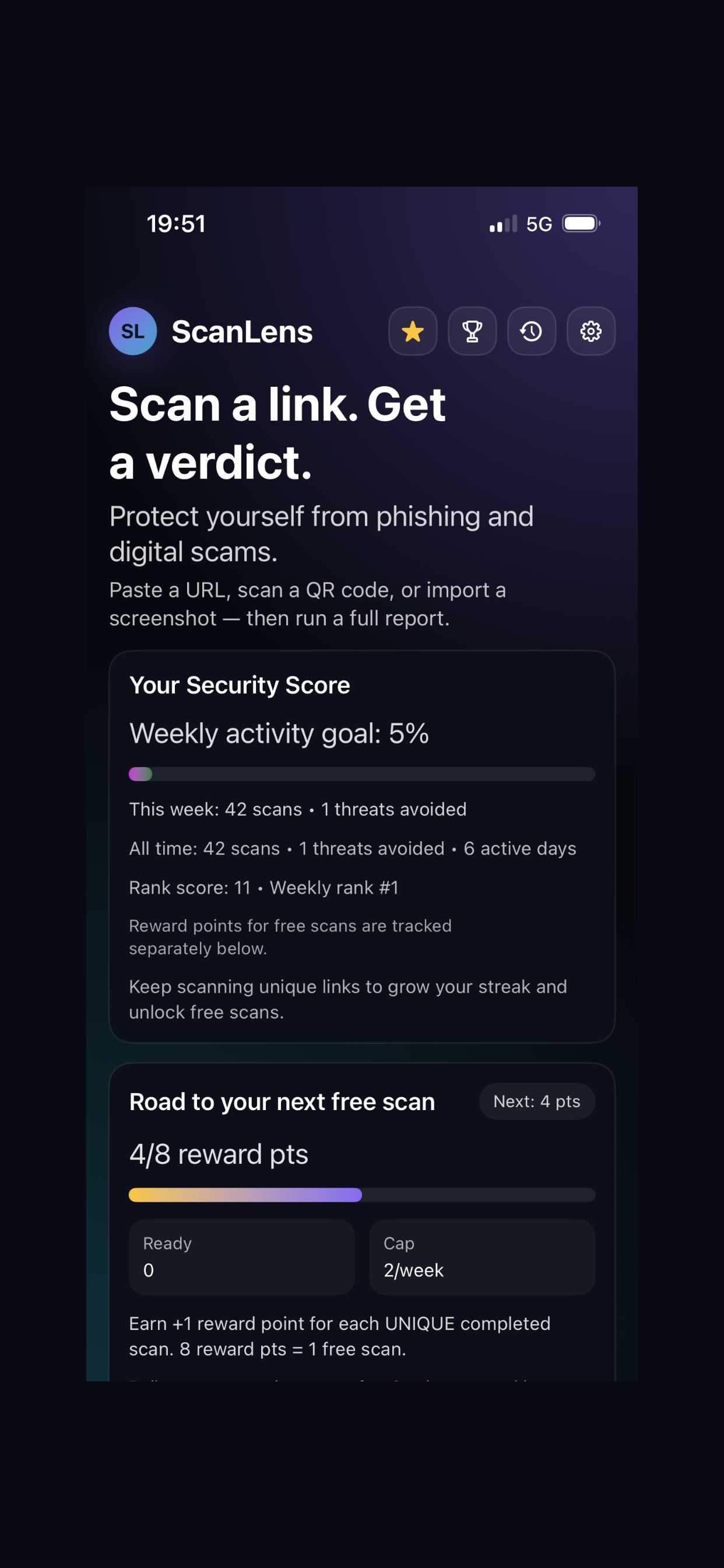
This official App Store image shows the app home screen with scan activity and reward progress.
ScanLensiOS / Home screen
Owned product / ScanLens
A link and message checker for web, iOS and Android. ScanLens helps people inspect suspicious content before opening it, replying or paying.
The problem
People encounter links and messages that look convincing enough to act on. The difficult part is understanding what deserves a closer look, and what to do next.
We built ScanLens for individuals and small businesses who want an explanation before opening a link, signing in, replying or paying. The experience brings input, a risk assessment and practical guidance together.
Products built and operated by us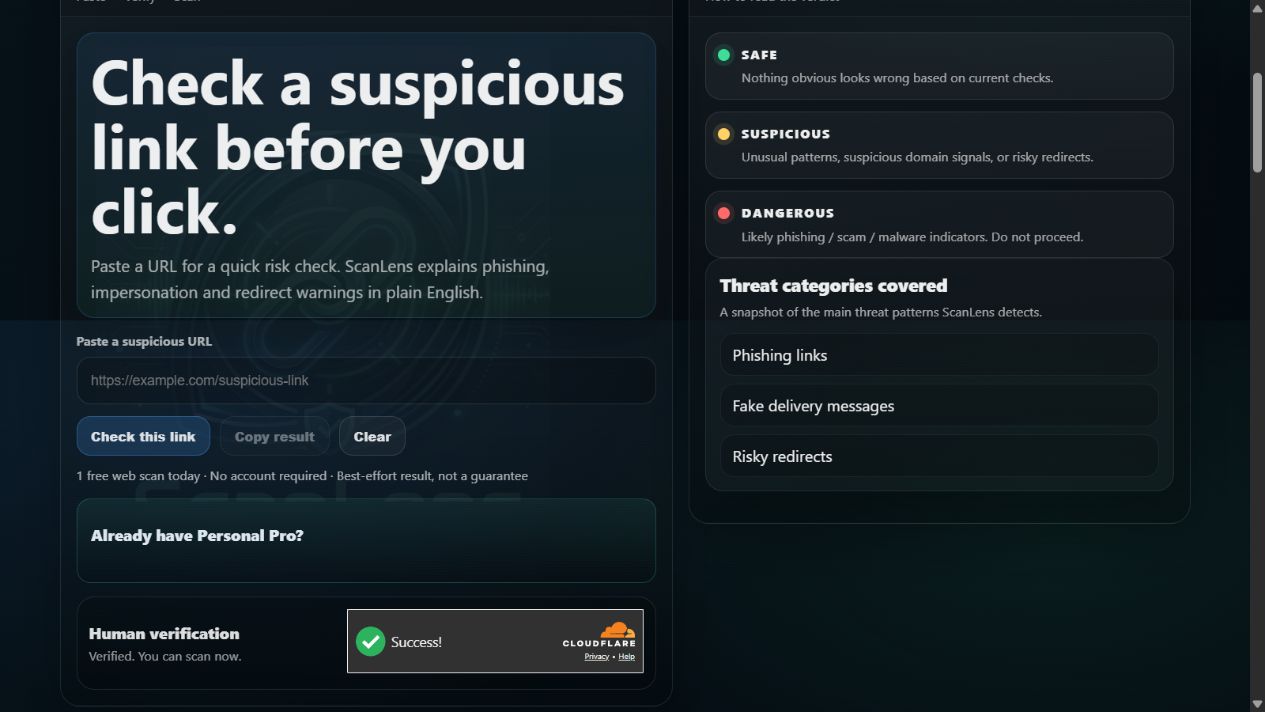
The web scanner offers a direct URL check. Its result guide explains the three verdict categories so the user can understand the signal before deciding what to do.
The user journey
A useful result needs more than a label. The path from input to explanation is central to the product.
Paste a URL or message. On supported mobile flows, use a QR code or an image containing a link.
Review the verdict and the signals behind it, with explanations that put the warning in context.
Use the guidance to pause, check through an official channel or avoid a risky interaction.
Built for different contexts
Separate iOS and Android applications bring the review closer to the messages and links people receive.
This official App Store image shows the app home screen with scan activity and reward progress.
This Google Play image shows the Full message entry and the route to Guard Inbox.
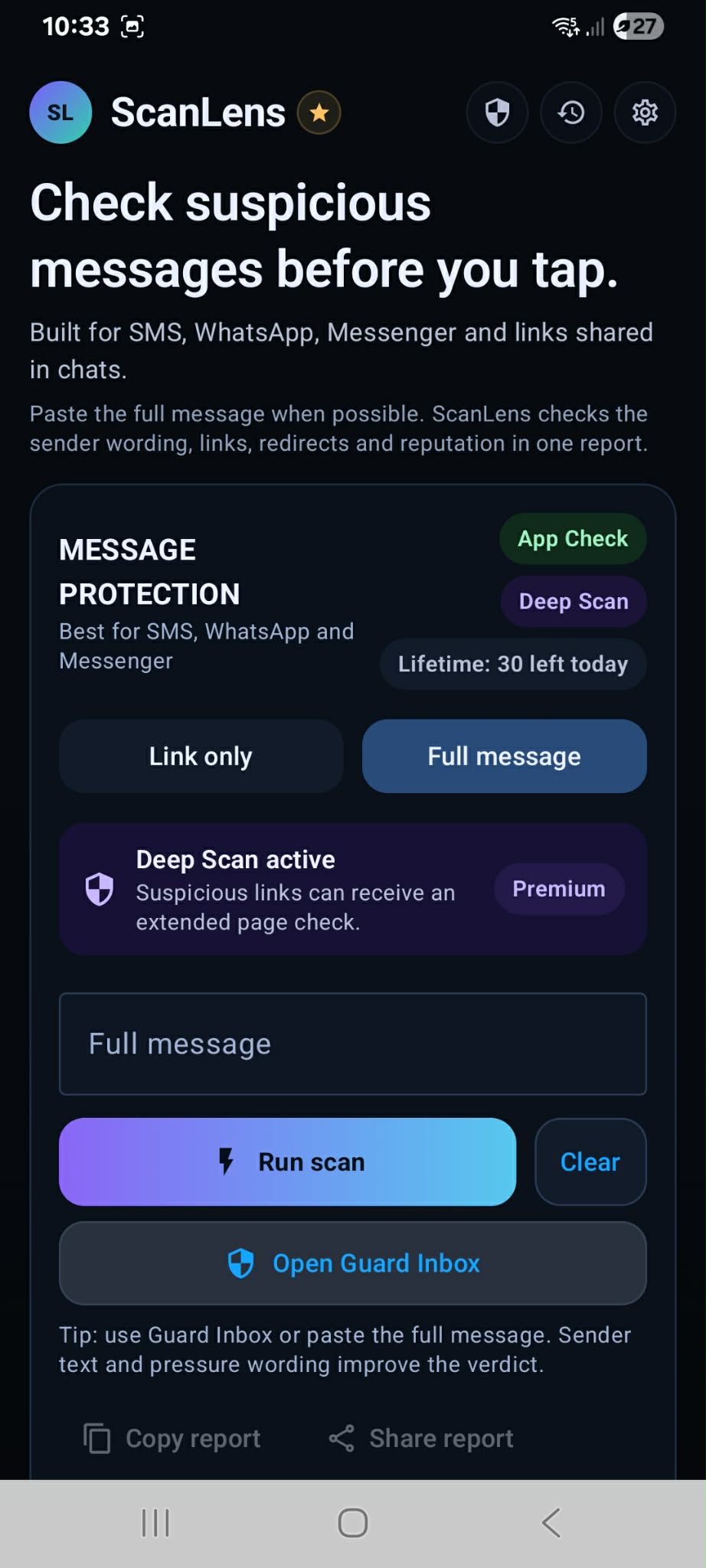
These are official store images. Their capture dates and exact app builds are unverified. Features, limits and plans can differ by platform; figures visible in the original images are not current plan promises.
What we built
A public URL-checking journey, verdict explanations and product discovery.
Applications for iOS and Android, with supported journeys for links, messages, QR codes and screenshot-derived content.
Plain-language reasons and next actions alongside the assessment, helping the user interpret the result.
Development across product surfaces, with platform-specific capabilities and ongoing work to improve the experience.
ScanLens provides decision support. A Safe result is a positive signal, not a guarantee. It does not replace checking sensitive requests through an official channel, and it is not an antivirus, VPN or guarantee of background protection.
Have something in mind?
Tell us about the users, platforms and main task your product needs to support.
Discuss a web or mobile project hello@noctisstudios.dev